How to View Instagram Stories Anonymously – Without Them Knowing
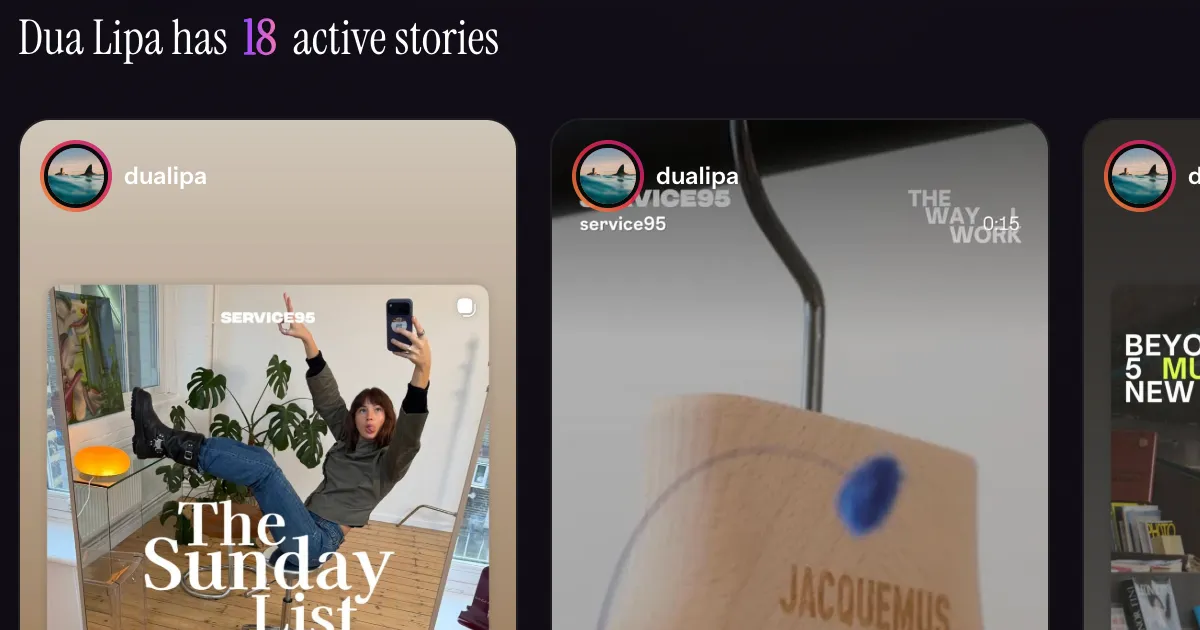
When you watch someone's Instagram story, they can see your name in their viewer list. That's by design — Instagram wants you to know who's watching, and it wants them to know you watched.
But sometimes you don't want that. Maybe you're curious about an ex, checking in on someone without making it obvious, or just want to watch a public account's content without announcing yourself.
There is a way to do it — and in this guide I'll show you exactly how.
Does Instagram Tell Someone When You View Their Story?
Yes. Instagram shows account owners a full list of everyone who has viewed their story, as long as the story is still live (within 24 hours of posting). Once the story expires, the view list disappears — but while it's active, your username will appear if you watch it while logged in.
There is no built-in way to watch a story anonymously inside the Instagram app. Turning on airplane mode used to work, but Instagram patched that years ago.
Can You View Instagram Stories Without Them Knowing?
Yes — but only for public accounts, and only through a third-party tool.
Public Instagram stories are accessible without logging in. Tools that retrieve story content directly from Instagram's public data can show you those stories without your account ever appearing in the viewer list — because no account is involved at all.
InstaRadar's Anonymous Story Viewer works exactly this way. Enter any public Instagram username and you'll see their active stories — photos and videos — with no login required and no trace left behind.
How to View Instagram Stories Anonymously (Step by Step)
Step 1: Go to InstaRadar's Story Viewer
Open InstaRadar in any browser on your phone or desktop. No account, no login, no app download required.
Step 2: Enter the Instagram username
Type the username of the account whose stories you want to watch. The account must be public — private accounts control who can see their stories, and no tool can bypass that.
Step 3: Watch anonymously
InstaRadar loads the account's active stories directly. Watch them as many times as you want — your name will never appear in their viewer list because you never logged into Instagram.
The whole process takes under a minute.
What You Can (and Can't) Do
You can:
- Watch stories from any public Instagram account
- View both photo and video stories
- Rewatch stories without the person seeing repeated views
- Download stories directly
- Do this from any device, no app required
You cannot:
- View stories from private accounts
- Access expired stories without a premium plan
- Watch stories from accounts that have blocked you on Instagram (if they're private)
Is This Actually Anonymous?
Yes — completely. Here's why:
When you use InstaRadar, you never log into Instagram. No Instagram account is used to fetch the stories. Instagram's viewer list only tracks logged-in users who watch a story through their app or the official website. Since InstaRadar retrieves public story data without any account authentication, there is no viewer to log.
No account name appears in the viewer list — not yours, and not InstaRadar's. To Instagram, the request looks like any other anonymous public data fetch. The story owner sees nothing.
The person whose stories you're watching has no way of knowing you looked.
Why Would You Want to Watch Stories Anonymously?
The most common reasons:
Checking on an ex or someone you've lost touch with. You're curious what they're up to but don't want to announce it by showing up in their viewer list.
Monitoring a public figure or brand. Businesses and creators often want to track competitors' content without tipping them off.
Avoiding awkward situations. Sometimes you want to see if someone posted about an event, a situation, or a person — without them knowing you checked.
General privacy preference. Some people simply don't want their viewing habits tracked and recorded by default.
Does This Work on Mobile?
Yes. InstaRadar works in any mobile browser — Safari, Chrome, Firefox. No app download required. Open the link, enter the username, watch the story. Same experience on desktop.
Frequently Asked Questions
Will the person know I watched their story?
No. Using InstaRadar's anonymous story viewer leaves no trace in the account owner's viewer list. They have no way of knowing you watched.
Does this work for private Instagram accounts?
No. Private accounts control who can see their stories. No tool can access stories from private accounts — if a service claims otherwise, it's not telling the truth.
Can I download the stories?
Yes. InstaRadar lets you download stories directly — photos and videos — in addition to watching them anonymously.
What if the account blocks me on Instagram?
If an account is public, you can view their stories on InstaRadar regardless of whether they've blocked your personal Instagram account — because your Instagram account is never involved.
Do I need to pay to use this?
No. InstaRadar has a free tier that lets you view stories without paying. Premium unlocks additional features like story archiving — so you can revisit stories even after they've expired on Instagram.
The Bottom Line
Instagram shows account owners who views their stories — there's no way around that inside the app. But for public accounts, a tool like InstaRadar lets you watch stories completely anonymously, with no login and no trace.
It works on any device, takes under a minute, and the account owner will never know you looked.
Related articles

How to See Who Someone Recently Followed on Instagram
Instagram no longer shows followers in chronological order — but there's still a way to check. Here's exactly how to see who someone recently followed.
Does Instagram Show Followers in Chronological Order?
Instagram used to sort followers chronologically — but that changed. Here's what actually happens to your follower list today, and how to get the order back.